Setting a Default Assignee for Warranty Tickets
Written By JSB (Jason Brown)
Last updated 8 months ago
For smaller teams, warranty tickets often land on the same person every time. If that’s the case, manually assigning each new ticket can become repetitive and unnecessary.
Digs allows you to set a Default Warranty Ticket Assignee so that all new warranty tickets are automatically assigned to a specific user. This removes an extra step in the workflow and ensures the right person has immediate ownership.
Where to Find This Setting
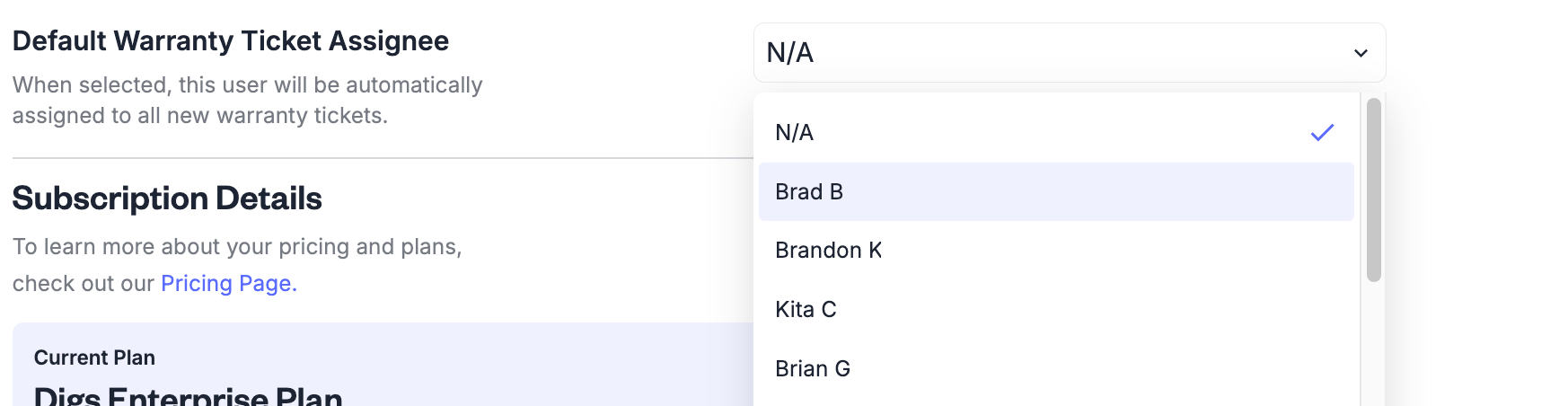
Go to Profile (top right) → Workspace Settings and locate the setting called Default Warranty Ticket Assignee.
The description reads:
“When selected, this user will be automatically assigned to all new warranty tickets.”
Select the appropriate user from the dropdown to activate the default.
How It Works
Once set, every new warranty ticket will automatically be assigned to the selected user. That person will receive the standard assignment notifications and can begin managing the ticket immediately.
Tickets are not locked to that user. They can be reassigned at any time if responsibilities need to shift.
Only users with Warranty Access enabled will appear in the dropdown.
Removing the Default
If you change the setting back to N/A, new tickets will no longer be auto-assigned. The team will return to the standard shared visibility model for incoming warranty requests.
This flexibility allows you to adjust as your team grows or changes structure.
Was this helpful?
Still need help? Ask the team