FAQ: Warranty Categories and Trades
Written By JSB (Jason Brown)
Last updated Over 1 year ago
Warranty category and trade data are often unique to each team managing post-build fixes and customer satisfaction. While the general structure might resemble other companies, the specifics tend to evolve with your internal workflows, vendor relationships, and homeowner expectations. Rarely is there a perfect one-size-fits-all solution.
DigsCare™ supports flexibility in how you use categories and trades, giving your team room to tailor them to your needs. While you can dive right in, it's worth taking a few minutes to align with your team on how you'd like to use these fields. Thoughtful setup can improve long-term organization, reduce redundancy, and make ticketing more meaningful for both your team and the homeowner.
⚠️ Keep in mind: Category and Trade fields are visible to the homeowner. Use clear, professional language to maintain trust and transparency.
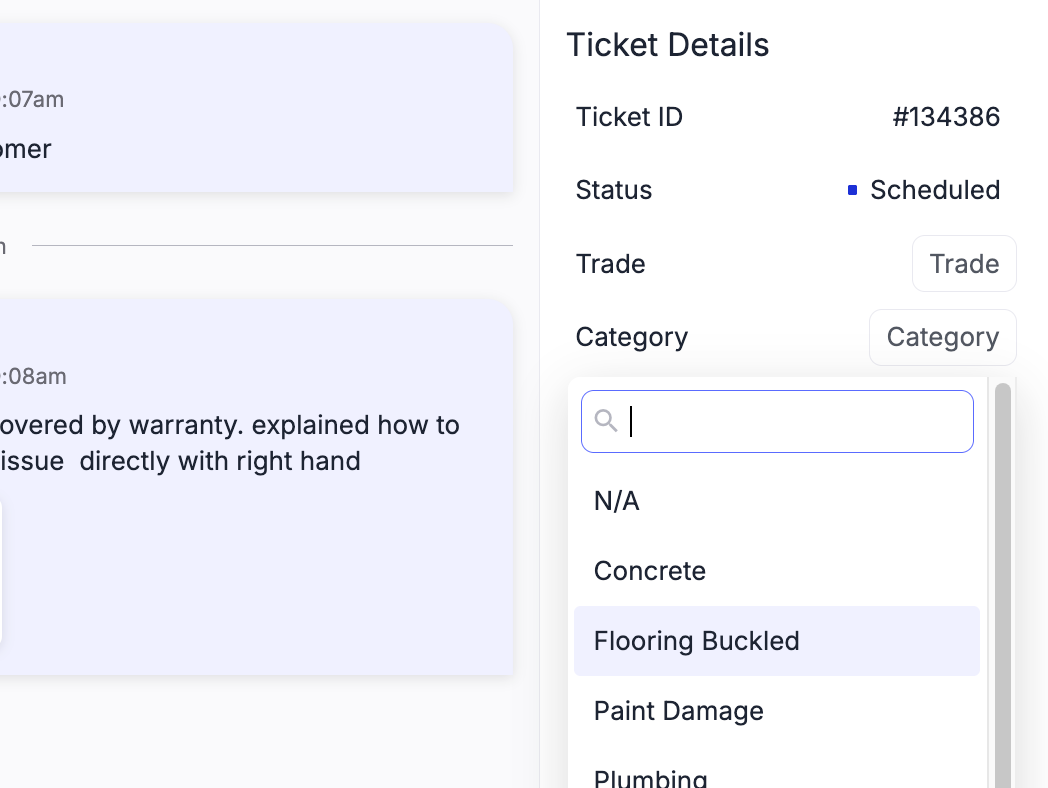
Creating a Warranty Trade or Category is easy. When in a ticket, simply click the topic and type a Category name. if it already exists, it will surface, else you are given the ability to Create a new one. Once created, it will be visible on all of your tickets as an option to choose.
At this time, we no not have the ability do delete Categories or Trades, so pre planning is needed to help avoid excess options. If you make a mistake though, don’t stress, that feature will come in the future
Remember to keep it all business! inside jokes can sometimes be shared with your clients.
Category by Urgency
Some teams categorize warranty tickets by urgency or response timeline. This helps triage requests and align them with your scheduling process.
Examples:
30-Day Warranty
11-Month Warranty
Emergency Repair
Cosmetic Issue
Routine Maintenance Request
Out of Warranty – Courtesy Evaluation
Seasonal Concern (e.g., HVAC startup or winterization)
Repeat Issue (previously addressed but recurring)
Structural Concern
Category by Location
Organizing tickets by the affected location can help batch similar types of work for efficiency. It also makes it easier for homeowners to understand and initially categorize their requests.
Examples:
Flooring & Carpeting
Cabinets & Countertops
Doors & Windows
Tile & Grout
Drywall & Paint
Appliances
Plumbing Fixtures
HVAC
Roofing & Gutters
Exterior Finishes & Trim
Landscaping or Grading
Garage & Driveway
Trades / Categories by Type of Work or Team
This field can serve a few purposes depending on your workflow. It might simply group tickets by trade for internal visibility, or it could help prepare for future ticket-to-vendor assignment workflows.
If you're also using a location-based category, you may find some overlap — but pairing urgency with trade-based groupings can create a powerful scheduling framework.
Example 1: Trade / Type of Work
General Builder
Plumbing
Electrical
HVAC
Septic or Sewer
Framing & Structural
Insulation
Drywall & Paint
Masonry or Concrete
Roofing
Finish Carpentry
Landscaping / Irrigation
Technology / Low Voltage
Example 2: Preferred Vendor or Team
This approach annotates the vendor or subcontractor likely to handle the work. It’s not a formal assignment but can help the warranty team prepare for vendor coordination.
BlueRidge Plumbing Co.
BrightSpark Electrical
NorthPine HVAC Solutions
Precision Finish Carpentry
Summit Concrete & Masonry
Final Thought
There’s no perfect setup, but the most effective teams treat their warranty categories and trades as strategic tools — not just labels. Taking a little time up front to define what these fields mean for your team can prevent confusion down the road, support faster responses, and help everyone (especially homeowners) feel confident in your process.