Changelog

Follow new updates and improvements to Digs.

June Updates: Hot Off the Grill

📣 Signatures: See Exactly Where Things Stand

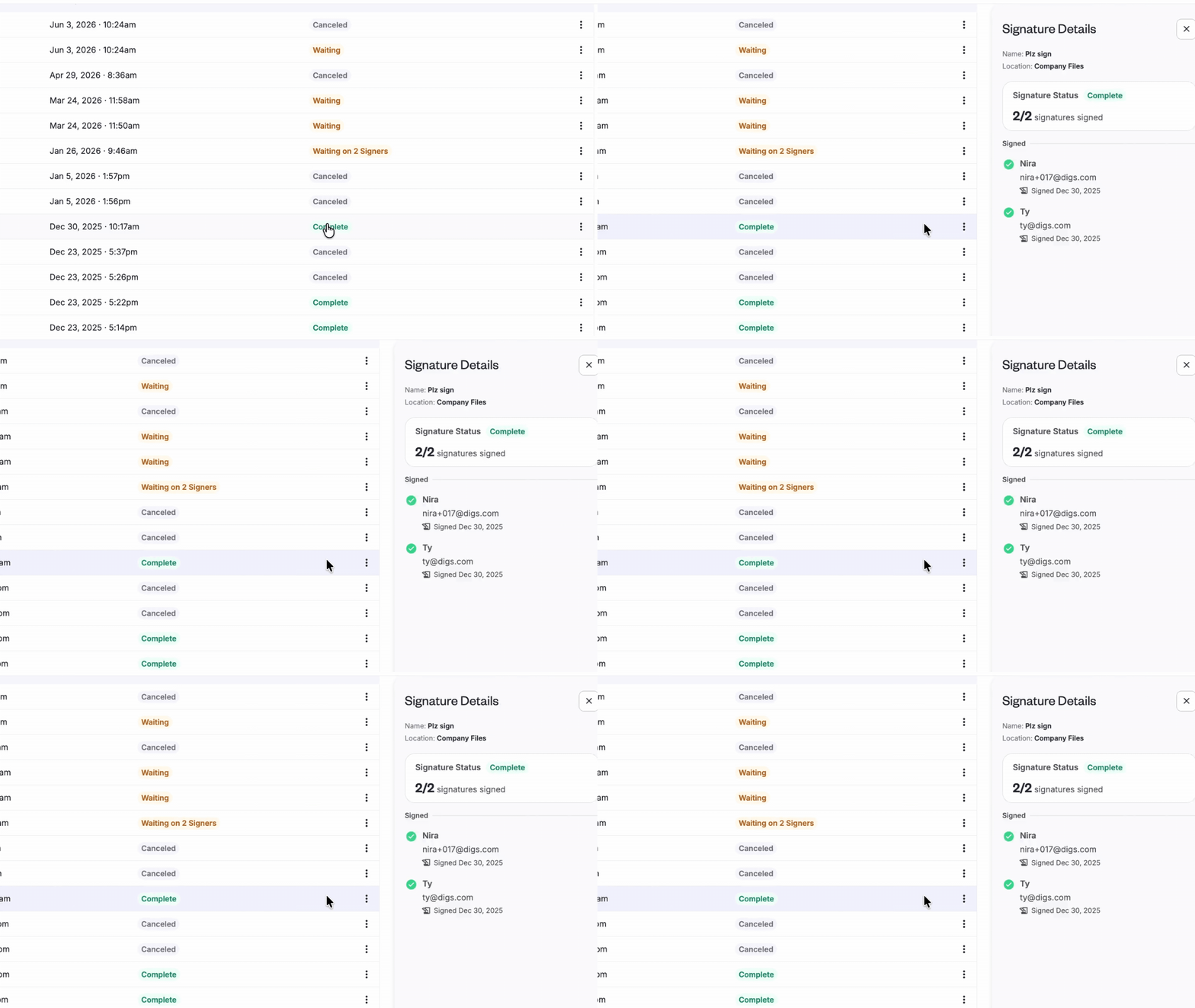
The Signatures side panel got a major upgrade. Click a signature request's status chip to see each signer's progress— signed, pending, or declined— along with a timestamp of their most recent activity.

Waiting on someone? You can see whether they've viewed the request or received a reminder, and when. If you've canceled a request, the panel switches to a "Did Not Sign" view so you're not distracted by activity history that no longer matters.

No more guessing who's holding things up.
👉 Send a Document for Signatures


🚀 Share Conversations in One Click

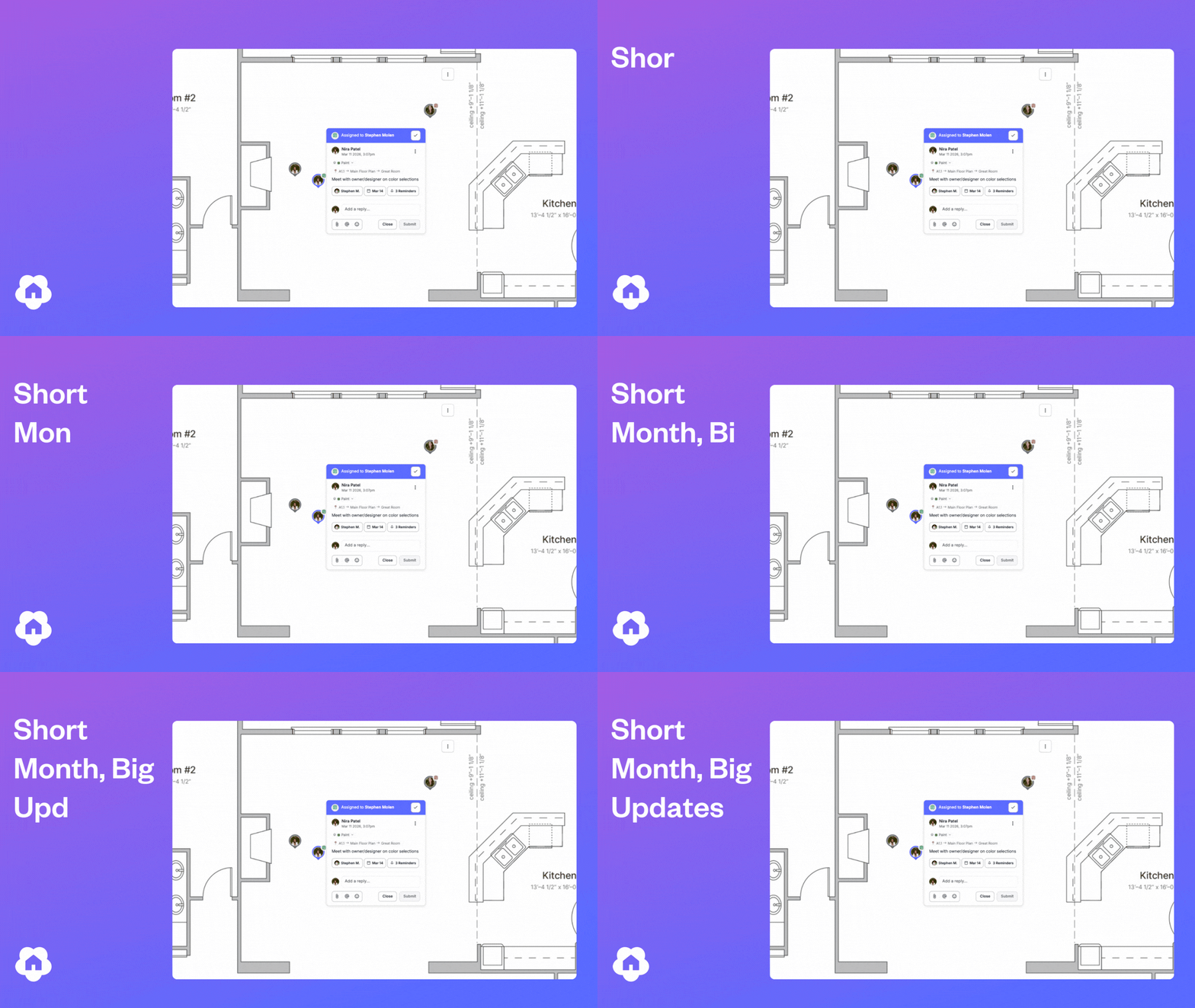
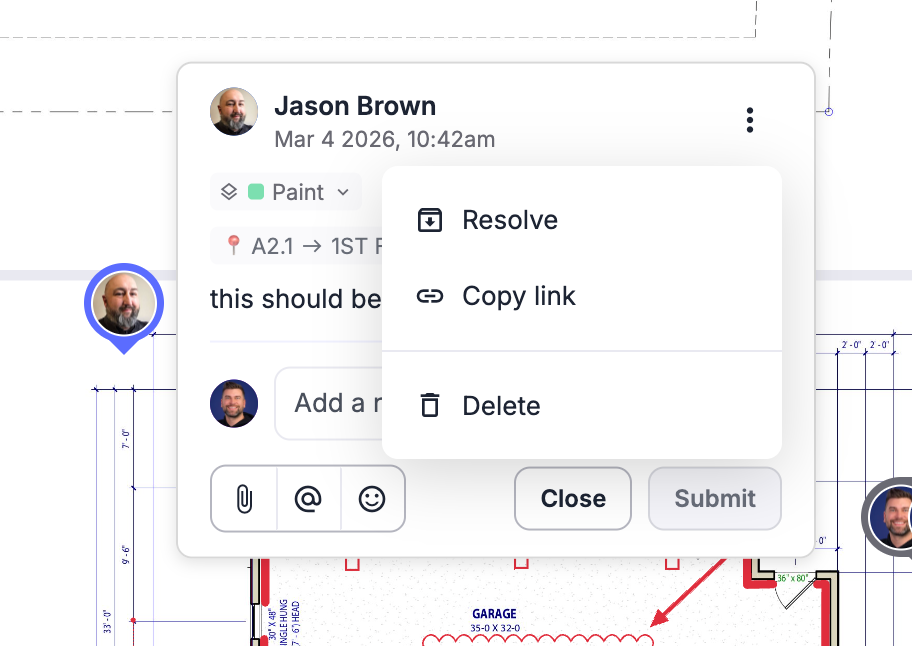
Need to bring someone into the conversation? You can now copy a direct link to any comment or task and share it with your team, trades, or clients.

One click takes them straight to the conversation— no searching required.

✅ Warranty Tracking: Cleaner & More Reliable

We’ve made a few improvements to help you manage and report on warranty tickets more efficiently.

  • Filter Before You Export: Apply filters to your Warranty Dashboard before generating reports, ensuring you export only the tickets and data you need.

  • Smoother Ticket Editing: Fixed an issue where special characters (like ?) in ticket subjects could trigger the help menu. Inline editing is now seamless, with no more keyboard conflicts.


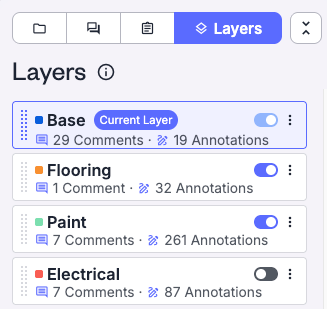
👀 Base Layers are now Visible

Digs has always had a base layer; you just couldn't see it. This update makes it visible in your layer list so you can toggle it, exclude it from exports, and move items off it to a more specific layer. Nothing about how your data is stored has changed.
👉 Try it now!


📷 Company Cam - A simple path to visual documentation

You don’t need CompanyCam to get the full value of Digs— we’ve built powerful documentation and photo management tools right into the platform.

That said, if your team already uses CompanyCam, the two tools complement each other well. While a formal integration isn’t available yet, many builders are successfully using both to streamline field documentation and project collaboration.

CompanyCam is built for capturing photos on the job site. Digs is built for organizing and storing what matters long term. Used side by side, they give your team a clean way to document project stages from framing to finish, then carry the right records forward into warranty and homeowner handoff.

If you're already using both tools and want to sharpen how your team moves between them, we’d love to hear from you. We're assessing whether a more direct connection makes sense— and that conversation starts by hearing from the people doing the work. The more we understand how builders are using these tools together today, the better we can shape what comes next.

More Details here and a new User Guide

💡 Did you know?

⚡ Pro Tip: Not every document belongs in the homeowner’s project.
Separate internal and homeowner files from the very start. Hand off becomes much simpler when everything is already organized.
Spring Has Sprung— and So Did Q1

IBS 2026: Breakout Growth in Booth Performance

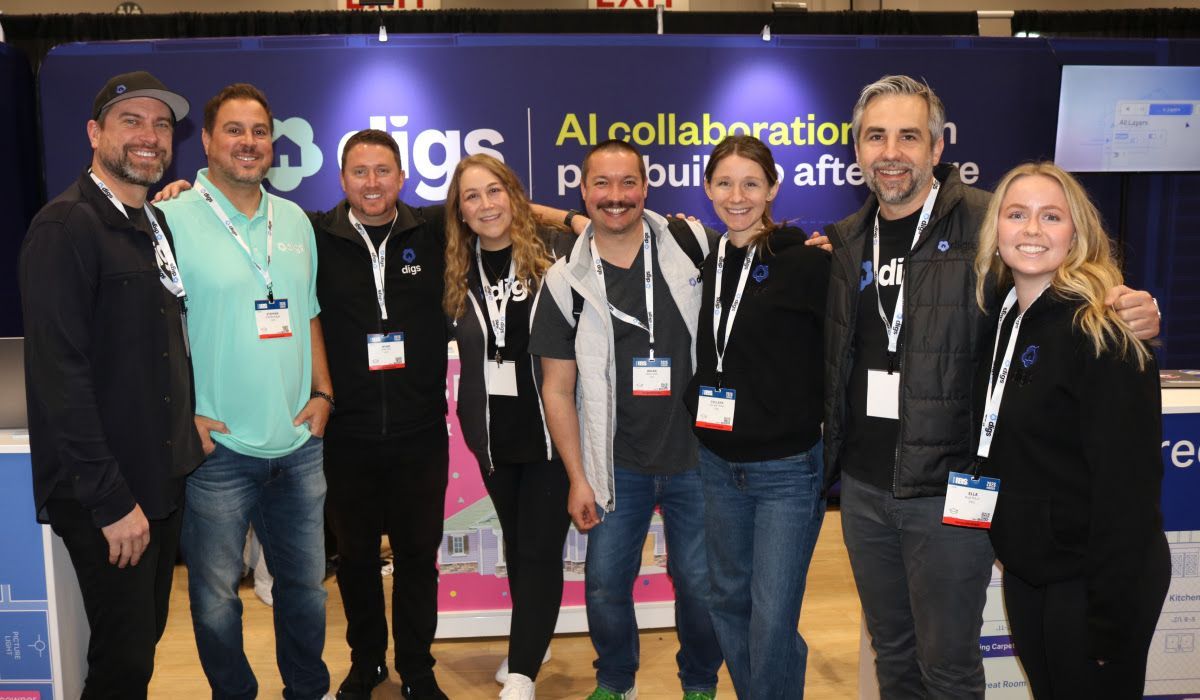
At the 2026 International Builders' Show in Orlando, the Digs team had the opportunity to connect with hundreds of builders, partners, and industry leaders from around the world, all diving into how AI is reshaping the homebuilding industry from first touch to long-term homeowner care.

AI was everywhere at IBS— but the conversation has evolved. Builders aren’t just asking what is AI? anymore. Teams are actively looking for practical ways to simplify workflows, centralize project details, and bring AI into their day-to-day operations.

That’s exactly where Digs fits in: helping teams move faster, stay organized, and deliver a better experience without adding complexity. If you're already using Digs, you're ahead of the curve. And if you're exploring what’s next, you're in good company

See Digs in Action

🎤 Sharing What’s Working

Both Digs co-founders were selected to participate in standing-room-only education sessions. Ryan Fink presented on AI and the future of construction workflows, while Ty Frackiewicz led a session focused on digital transformation in warranty and aftercare as a key component of the new construction customer experience. Each session drew packed rooms with engaged audiences, thoughtful questions, and significant post-session interest in Digs.

The builders seeing the most success aren’t waiting— they’re starting small, getting value quickly, and building from there.

Industry Milestone: Powering the First Digital Twin Handoff at The New American Home

Digs was featured on two official tour stops inside The New American Home® 2026, the flagship show home of IBS. The tour showcased Digs transforming 2D plans into an interactive 3D digital twin with hotspots, embedded product data, and AskDigs AI.

For the first time in the program’s history, the home delivered a fully digital twin homeowner handoff powered by Digs, demonstrating how builders can centralize project data from pre-construction through ownership.

The New American Home

2,000+ people walked through the first-ever digital twin handoff in the program's history— powered by Digs

Education Sessions

275+ builders learning how AI is reshaping construction workflows

Booth Conversations

400+ teams exploring how Digs fits into their day-to-day operations


Product Updates

Spring Cleaning Behind the Scenes

After the push to IBS, March was focused on refinement. We resolved defects, cleaned up code, and improved backend performance to keep things running smoothly for new and existing customers. Not flashy, but critical to keeping the platform fast, stable, and ready for what's next.

Warranty Reporting

Our first reporting capability is live. Export warranty tickets across projects to better plan vendor work and identify trends. Reports include ticket creation date, status, and short descriptions— with more reporting improvements on the way.

Learn more about warranty reporting

AI Improvements

Digs AI is always evolving, learning from every project to better understand the homes you build. Recent refinements— including improved recognition of doors, windows, and sliders— create a more accurate 3D Dollhouse and elevate search, insights, and recommendations throughout the platform.

What’s Coming Next?

AI Takeoffs

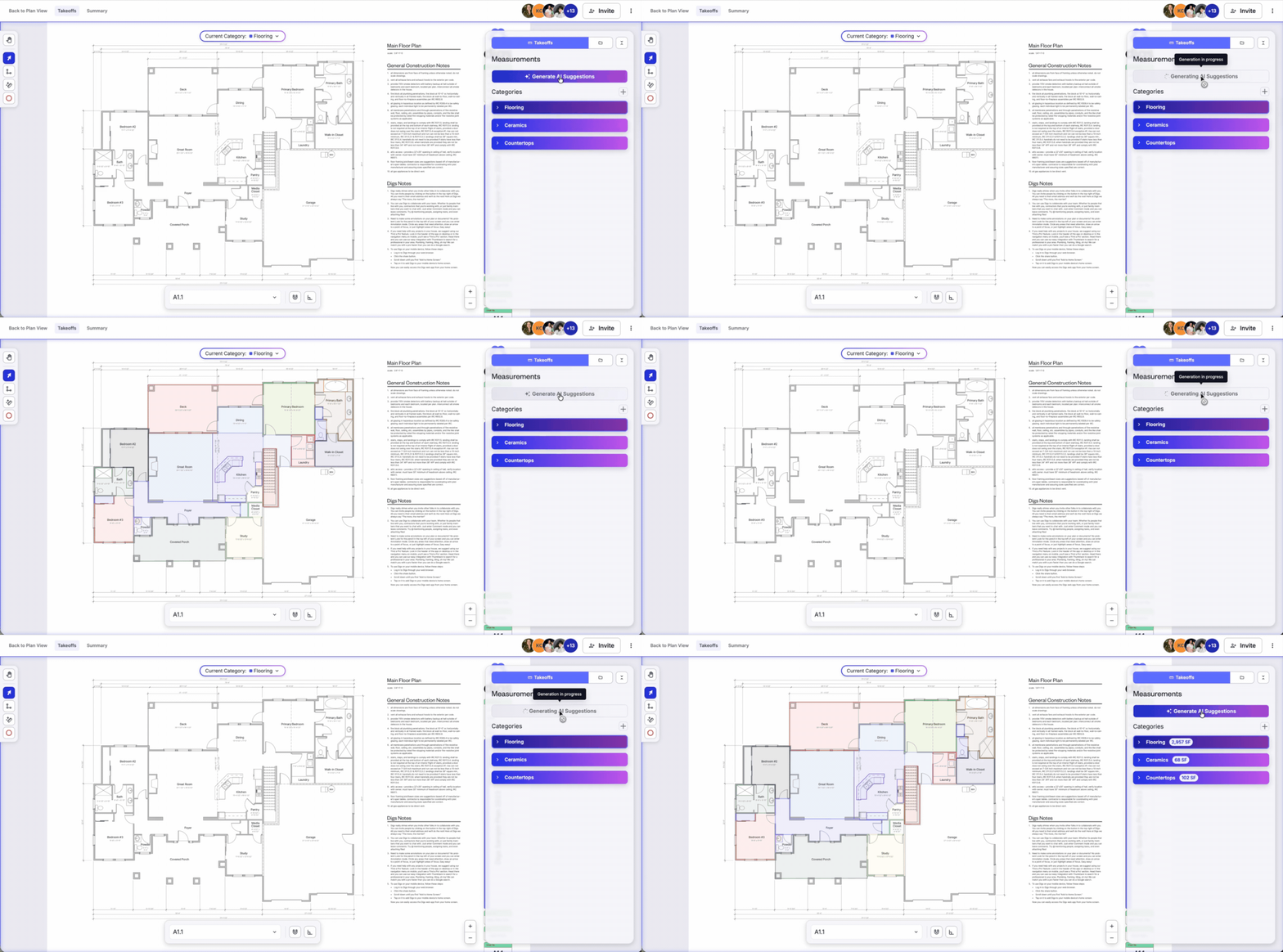
Big things are coming to Digs. We're introducing AI-Powered Takeoffs— automatically extract flooring, countertop, and vertical surfaces from your plans in seconds, with the flexibility to adjust on the fly. Stay tuned.

Schedule a Demo today!

Signatures

More flexibility is on the way. Soon you'll be able to resend signature requests and update a signer's email directly from the document— no need to start over.

Digs Support Updates

We're expanding our support documentation so your team can get more out of Digs, faster. Expect updated guides, step-by-step walkthroughs, and new articles covering recent product changes— whether you're onboarding someone new or diving deeper into a feature.

Visit the Digs Support Page


🔗 Try It Now

👉 Log in to Digs and test out these updates in your next project.

👉 Got feedback? Send it our way— we're all ears.

Q1 was just the warmup. Stay tuned for what's next.

— Team Digs

Tip Off: March Product Update

No brackets to fill out here, just a solid lineup of updates to make your workflow smoother. Spring is around the corner and your Digs workflow just got a whole lot better. Here's what's new this March.

🆕 New In Digs

Tasks: Reminders

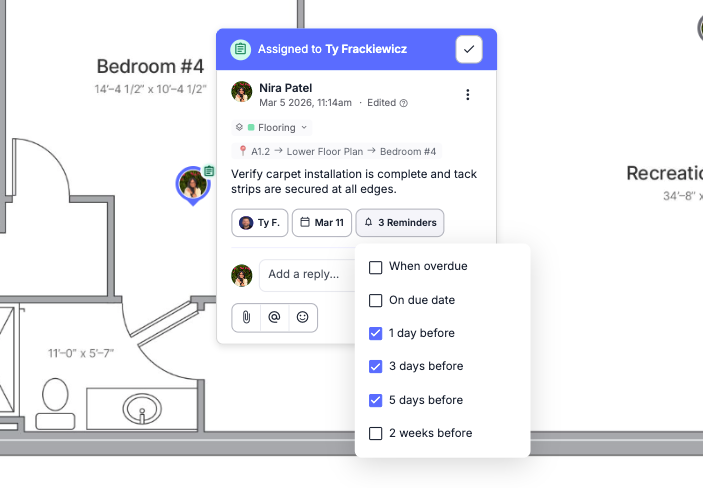
Task Reminders are now live. Get notified when deadlines are approaching, missed, or changed— keeping your team aligned where it matters most. After giving Tasks a dedicated tab and adding Due Dates to bring structure to your workflow, Reminders are the piece that ties it all together.

Get the most out of Tasks →


Digs Warranty

Default Warranty Assignee
You can now set a Default Warranty Ticket Assignee in your Workspace settings to automatically route new tickets to the right person. This is especially helpful for smaller teams or accounts where one person handles most incoming warranty work. Tickets can still be reassigned at any time, so you keep the flexibility without the extra step.

Here’s how it works →


Coming Soon: Procore Integration

Our v1 integration with Procore is currently under review for the Procore Marketplace. The initial release:

  • Seamlessly connects Procore projects to Digs, or creates a new Digs project if one doesn't exist yet.

  • Makes it easy to copy files from Procore to Digs, so you can start preparing for closeout and warranty at any stage of the build.

  • This is just the beginning— we'll be collecting live feedback to shape what comes next in v2. Help us help you, we thrive on feature requests.


🛠️ Small but Mighty Improvements

These updates may seem subtle, but they're all about making your day-to-day smoother, faster, and more intuitive.

Scheduling

One day's notice wasn't giving users enough time to stay on top of what's coming up on their timeline. Since Task Reminders introduced "2-week" alerts to keep teams aligned, we extended that same logic to Schedules, giving you more time before a stage's target date arrives.

Digs Warranty

New Classification: Closeout Punch List
By customer request, we've added a "Closeout Punch List" classification to help you track items that are technically done but held up by weather, parts, or other delays.

Admins can now Opt-In to Warranty
Admins are no longer automatically enrolled in the DigsCare Warranty Team. New Admins start with Warranty access off and can opt in when they need visibility into tickets or the dashboard.
Read the Support Doc →

Pro tip: Check your Workspace Users list and confirm which Admins still have Warranty Access enabled— and toggle it off for anyone who no longer needs it or doesn't want to receive notifications.


🐞 Bugs Squashed

We've tackled a few glitches to make your workflow more reliable:

  • Resending invitations not working consistently
    Admins reported that resending user invites wasn't reliable— sometimes requiring multiple clicks before the resend link appeared. This has been fixed.

  • Cannot remove warranty ticket assignee
    Some users found it impossible to un-assign a warranty ticket in certain scenarios. We tracked down the edge cases and squashed the bug.

  • Icons placed on documents are not able to be moved or changed
    A consistent defect was causing icons and shapes to become uneditable after placement, freezing in place until the page was refreshed or a new annotation was added. Annotations can now be modified immediately after placing them.

  • Copy and pasting annotations reversed their direction
    When duplicating certain annotations, the pasted version would flip— arrows facing left would paste facing right. This has been resolved for all annotation types.


💡 Did You Know?

A few quick tips to help your team move faster and work smarter in Digs:

  • You can measure irregular spaces directly on a blueprint.
    The Digs measurement tool goes beyond basic rectangles. With poly-line mode, you can trace any shape to get accurate area and perimeter measurements, even in rooms that aren't perfectly square.

  • Comments and tasks can include images and attachments.
    Add photos, reference files, or screenshots directly to a conversation so everyone has the full picture.

  • Digs automatically links comments to the exact location on a document.
    Clicking a comment jumps you straight to where the discussion started. If it's on a different document, it opens in a new tab so you don't lose your place.


🔗 Try It Now

👉 Log in to Digs and test out these updates in your next project.

👉 Got feedback? Send it our way— we're all ears.

Swish. See you in April.

— Team Digs

Earlier updates