Changelog

Follow new updates and improvements to Digs.

June Updates: Hot Off the Grill

📣 Signatures: See Exactly Where Things Stand

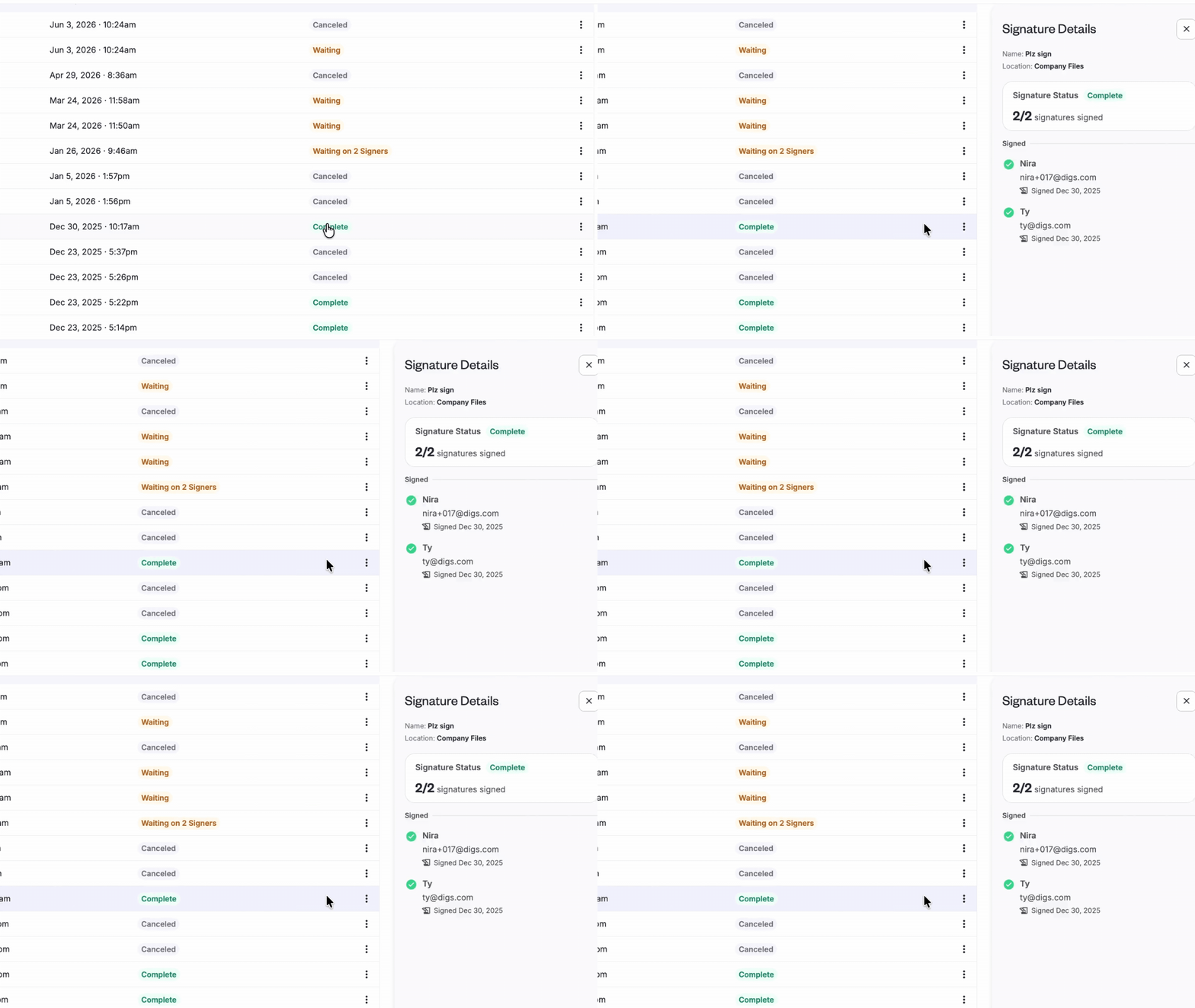
The Signatures side panel got a major upgrade. Click a signature request's status chip to see each signer's progress— signed, pending, or declined— along with a timestamp of their most recent activity.

Waiting on someone? You can see whether they've viewed the request or received a reminder, and when. If you've canceled a request, the panel switches to a "Did Not Sign" view so you're not distracted by activity history that no longer matters.

No more guessing who's holding things up.
👉 Send a Document for Signatures


🚀 Share Conversations in One Click

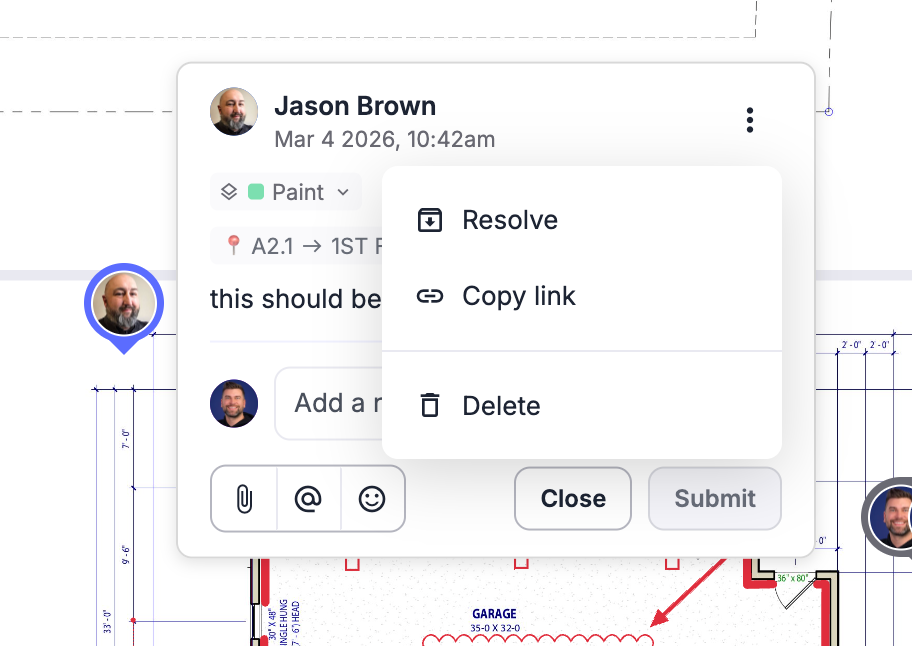
Need to bring someone into the conversation? You can now copy a direct link to any comment or task and share it with your team, trades, or clients.

One click takes them straight to the conversation— no searching required.

✅ Warranty Tracking: Cleaner & More Reliable

We’ve made a few improvements to help you manage and report on warranty tickets more efficiently.

  • Filter Before You Export: Apply filters to your Warranty Dashboard before generating reports, ensuring you export only the tickets and data you need.

  • Smoother Ticket Editing: Fixed an issue where special characters (like ?) in ticket subjects could trigger the help menu. Inline editing is now seamless, with no more keyboard conflicts.


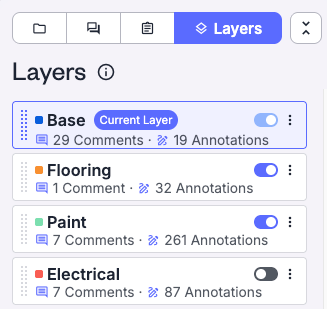
👀 Base Layers are now Visible

Digs has always had a base layer; you just couldn't see it. This update makes it visible in your layer list so you can toggle it, exclude it from exports, and move items off it to a more specific layer. Nothing about how your data is stored has changed.
👉 Try it now!


📷 Company Cam - A simple path to visual documentation

You don’t need CompanyCam to get the full value of Digs— we’ve built powerful documentation and photo management tools right into the platform.

That said, if your team already uses CompanyCam, the two tools complement each other well. While a formal integration isn’t available yet, many builders are successfully using both to streamline field documentation and project collaboration.

CompanyCam is built for capturing photos on the job site. Digs is built for organizing and storing what matters long term. Used side by side, they give your team a clean way to document project stages from framing to finish, then carry the right records forward into warranty and homeowner handoff.

If you're already using both tools and want to sharpen how your team moves between them, we’d love to hear from you. We're assessing whether a more direct connection makes sense— and that conversation starts by hearing from the people doing the work. The more we understand how builders are using these tools together today, the better we can shape what comes next.

More Details here and a new User Guide

💡 Did you know?

⚡ Pro Tip: Not every document belongs in the homeowner’s project.
Separate internal and homeowner files from the very start. Hand off becomes much simpler when everything is already organized.
April Showers Bring May...Features!

📢 Overlay Tool is Here!

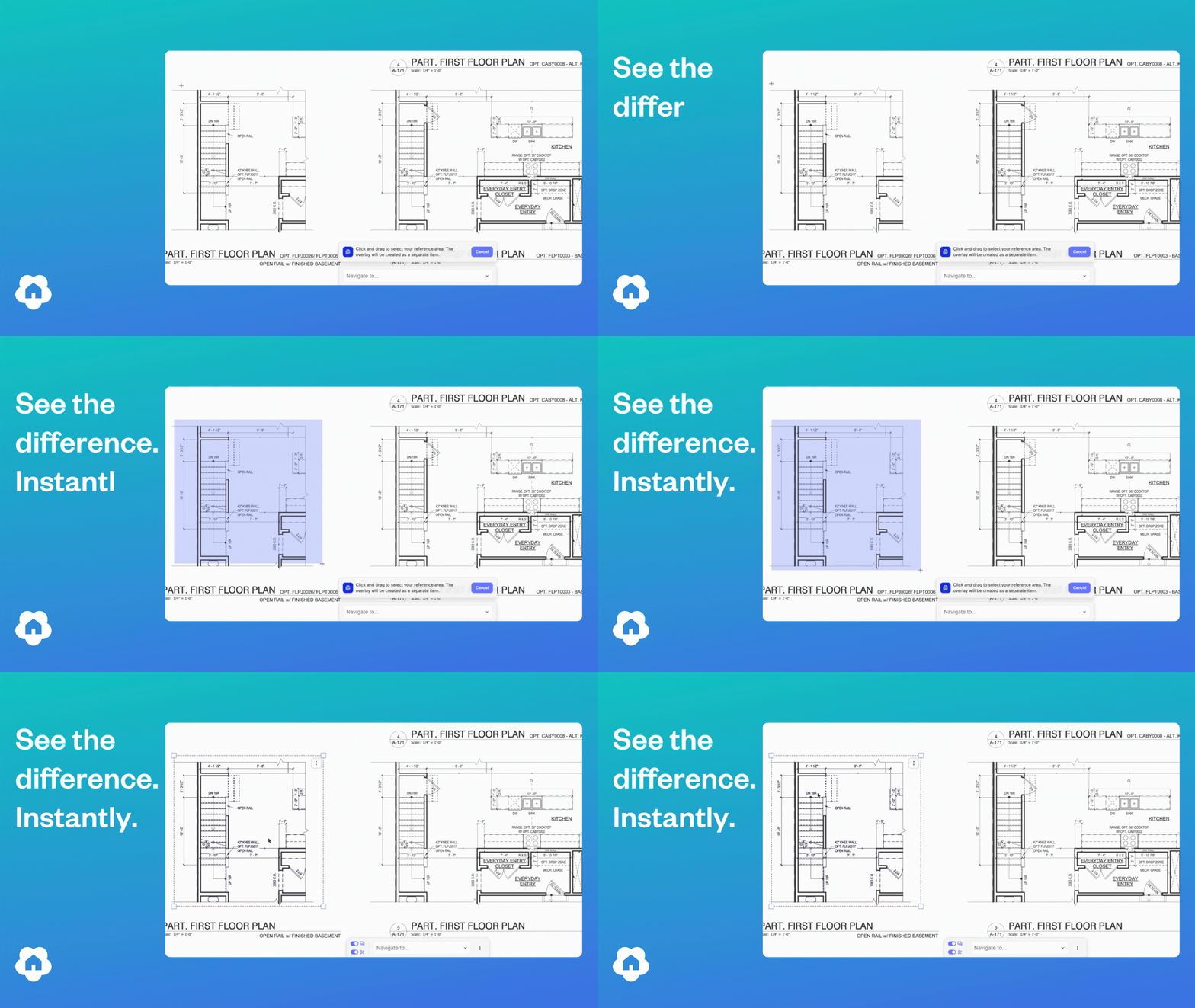
The Digs Overlay Tool, is a powerful new way to visualize your plans, now available across Digs. For Pro & Enterprise users, The Overlay Tool lets you drop a semi-transparent region directly onto any floor plan — perfect for comparing plan versions, highlighting scope areas, quickly seeing differences or calling out exactly what matters in a review.

Three modes for every workflow. Switch between display modes depending on what you're trying to see:

  • Colorized — tint and outline a region in any color to make it pop

  • Comparative — layer overlays against the base plan or plan versions to validate measurements and differences with color differentiation. If things are different, it turns blue!

  • Opaque — block out regions cleanly when you need a solid fill or show how a plan option looks on a base home

👉 See it to believe it


📣 Expanded Color Picker

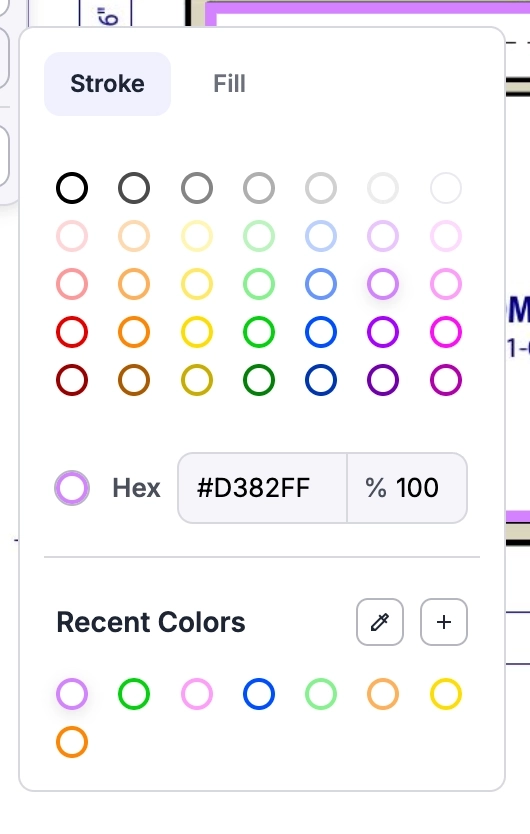
When we say we value customer feedback, we mean it. We heard loud and clear that an expanded color picker was crucial to the experience, so we delivered. The new color picker shows up wherever you set color in Digs, on project plans, in documents, and in the layers panel, looking and behaving the same way every time and remembering your colors no matter where you open it.

  • Pick from 35 standard colors — Open the picker and choose from a curated palette of 35 neutrals, primaries, and pastels, with tabs to switch between fill and stroke without closing the picker.

  • Enter an exact color with hex — Enter a hex code directly into the input and type in opacity from 0–100%, with a red indicator that flags any typos so nothing breaks and nothing closes.

  • Sample any color on screen with the eyedropper — Click the eyedropper, then click anywhere in Digs to instantly grab a color from any drawing, stamp, or layer, no hex hunting required.

👉 Try it out for yourself!


✅ eSignature Improvements

A couple of quality-of-life updates have been added to the Digs eSignature process. In both cases, you can find them by locating the eSign you want and clicking the three kebab dots on the far right.

  • Correct a recipient. You can now update the recipient's name and email address. Handy for fixing typos, and you can also use it to redirect the document to a different signer if you sent it to the wrong person.

  • Cancellation reason. When you cancel a signature, there's now a spot to note who cancelled it and why. The note stays attached for later reference. Hover over the Cancel status to see the reason for a given cancellation.


👀 In Case You Missed It

ICYMI: Public share files and folders

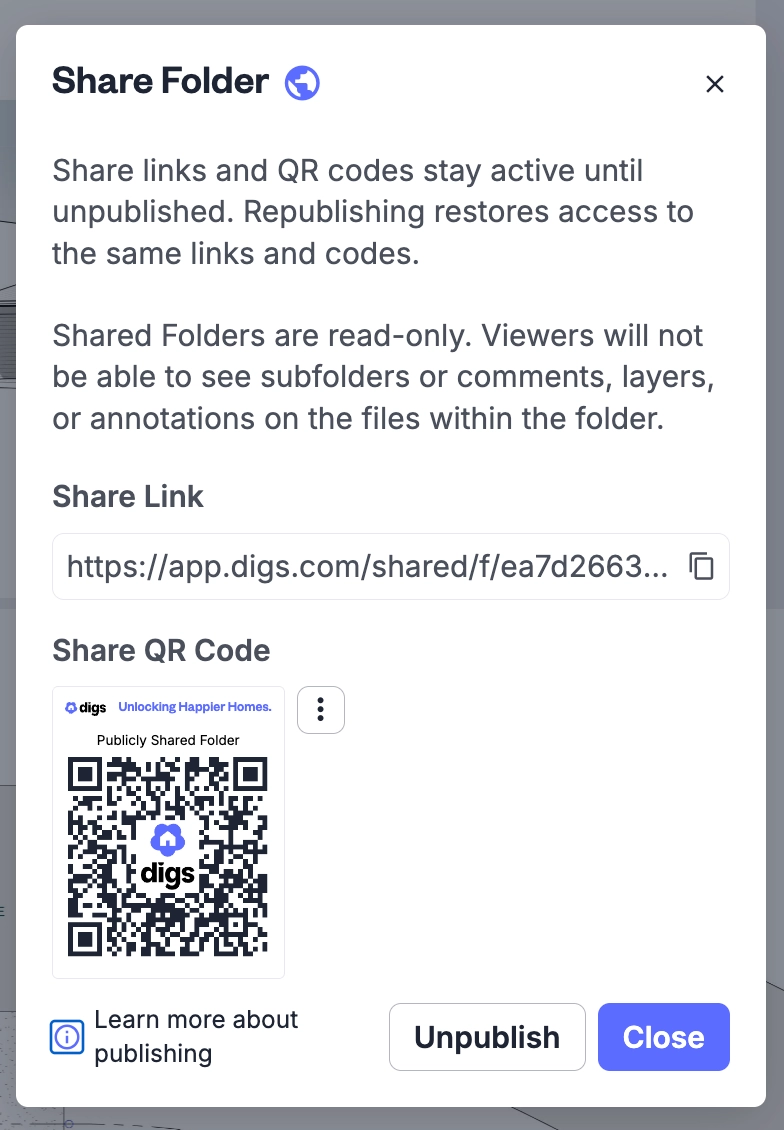
A while back we shipped public sharing. If you missed it, here's the gist: any file or folder in Digs can be shared through a URL or QR code, and whoever you send it to doesn't need a Digs account to open it.

Folders are the fun part. When you update a file inside a shared folder, the link keeps pointing to the latest version. No re-sending, no "wait, is this the new one?"

Handy for the field. Print the QR, stick it on the trailer wall or in the plan binder, and anyone on site can pull the latest drawings, specs, or selections. Subs who aren't in Digs still get what they need. Inspectors can grab a doc on the spot. Your PM stops emailing the same files three times a week.

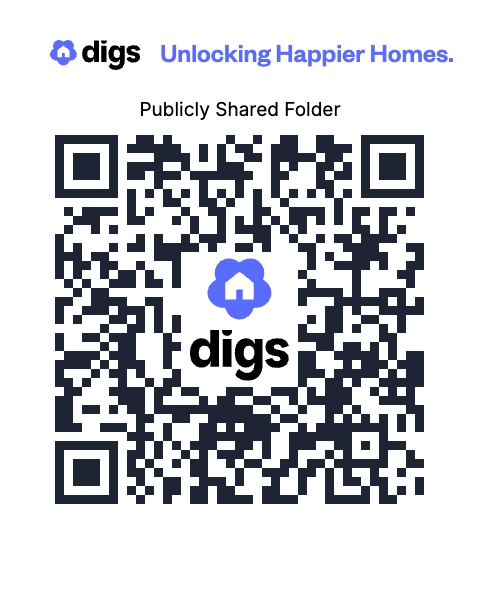
Try it out Here - Or scan the QR code below!


💰 Supplement your summer with cash referrals!

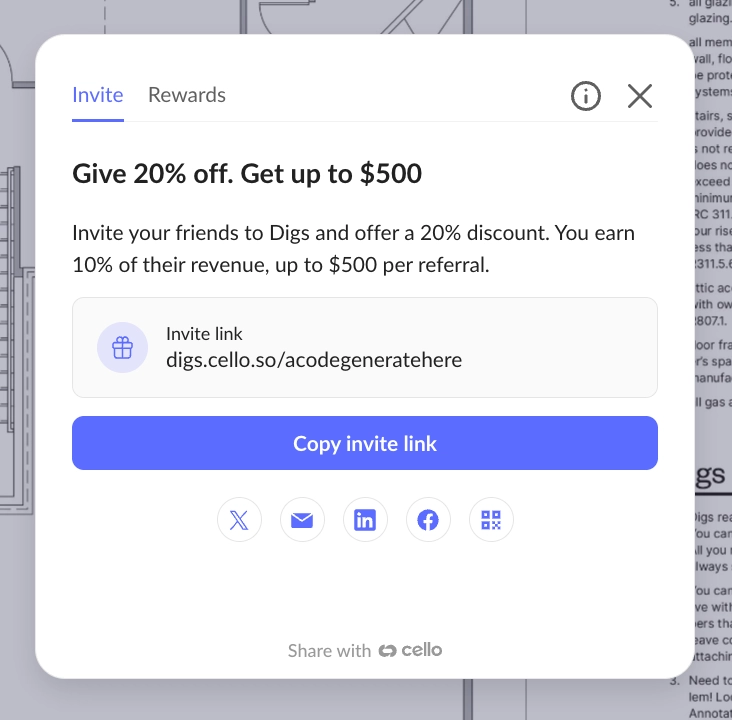
Lots of teams forget Digs has a referral program! The “Refer and Earn” program is stashed in the top right of our application under the “Gift Icon”.

Copy your Invite link and share it with teams you know could benefit from Digs. Drop a link on socials using the quick post buttons.

The details are easy:

  • You give a Discount to them when they purchase Pro users This is not the same as inviting collaborators to your projects - These would be new companies who are looking for tool solutions like Digs.

  • You Earn cash from these signups - Every Referred company who purchases Digs is a separate $500 referral cap Example - Bob the Painter signs up using your Invite and buys 2 user seats, you would earn a $25 bounty from Bobs first purchase, then 10% of Bob’s Dig spend each month until you hit $500. If he adds more users each month, you hit that cap faster, and he gets to keep using the 20% discount 😎. Repeat this with more companies and you start new referral caps. Easy!.

Learn more here and start getting some BBQ money!


💡 Did you know?

⚡ Pro Tip: Skip folder hunting! Use Search in plain language. Type something like "kitchen faucet" or "HVAC manual" and Digs surfaces the document, we recognize and index all document text in the background as you upload.

⚡ Pro Tip: Supplement documents with photos! Snap a photo of the data plate on every appliance and piece of equipment. This simple action is one of those game change moments when a warranty issue arises and your customer does not need to go search that info out. Stored this named image (eg. Whirlpool Dishwasher Data Plate.jpg) in the same Digs folder as the matching manual or warranty.

⚡ Pro Tip: Assign vendor installations as you go Part of the Digs value is about future proofing - Attribute each item in the handoff to the sub who actually installed it. Should the dishwasher leaks in year two, the homeowner pings your plumber directly with the right context, instead of calling your office and pulling you off a job to track down a phone number.

Spring Has Sprung— and So Did Q1

IBS 2026: Breakout Growth in Booth Performance

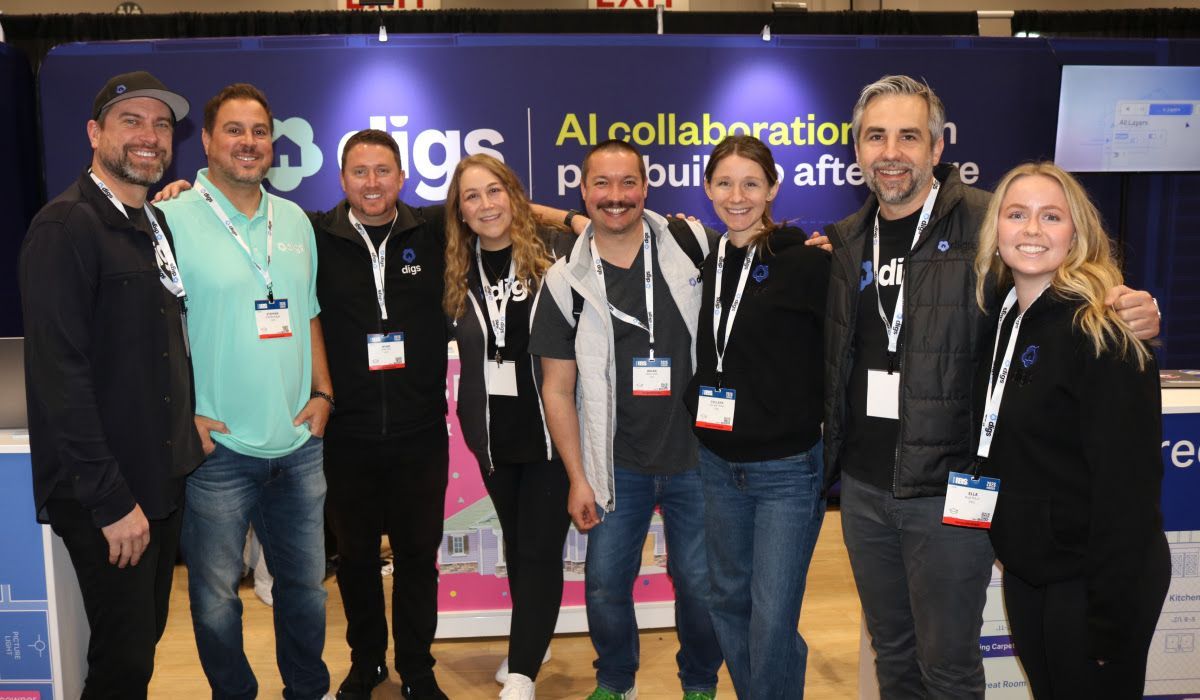
At the 2026 International Builders' Show in Orlando, the Digs team had the opportunity to connect with hundreds of builders, partners, and industry leaders from around the world, all diving into how AI is reshaping the homebuilding industry from first touch to long-term homeowner care.

AI was everywhere at IBS— but the conversation has evolved. Builders aren’t just asking what is AI? anymore. Teams are actively looking for practical ways to simplify workflows, centralize project details, and bring AI into their day-to-day operations.

That’s exactly where Digs fits in: helping teams move faster, stay organized, and deliver a better experience without adding complexity. If you're already using Digs, you're ahead of the curve. And if you're exploring what’s next, you're in good company

See Digs in Action

🎤 Sharing What’s Working

Both Digs co-founders were selected to participate in standing-room-only education sessions. Ryan Fink presented on AI and the future of construction workflows, while Ty Frackiewicz led a session focused on digital transformation in warranty and aftercare as a key component of the new construction customer experience. Each session drew packed rooms with engaged audiences, thoughtful questions, and significant post-session interest in Digs.

The builders seeing the most success aren’t waiting— they’re starting small, getting value quickly, and building from there.

Industry Milestone: Powering the First Digital Twin Handoff at The New American Home

Digs was featured on two official tour stops inside The New American Home® 2026, the flagship show home of IBS. The tour showcased Digs transforming 2D plans into an interactive 3D digital twin with hotspots, embedded product data, and AskDigs AI.

For the first time in the program’s history, the home delivered a fully digital twin homeowner handoff powered by Digs, demonstrating how builders can centralize project data from pre-construction through ownership.

The New American Home

2,000+ people walked through the first-ever digital twin handoff in the program's history— powered by Digs

Education Sessions

275+ builders learning how AI is reshaping construction workflows

Booth Conversations

400+ teams exploring how Digs fits into their day-to-day operations


Product Updates

Spring Cleaning Behind the Scenes

After the push to IBS, March was focused on refinement. We resolved defects, cleaned up code, and improved backend performance to keep things running smoothly for new and existing customers. Not flashy, but critical to keeping the platform fast, stable, and ready for what's next.

Warranty Reporting

Our first reporting capability is live. Export warranty tickets across projects to better plan vendor work and identify trends. Reports include ticket creation date, status, and short descriptions— with more reporting improvements on the way.

Learn more about warranty reporting

AI Improvements

Digs AI is always evolving, learning from every project to better understand the homes you build. Recent refinements— including improved recognition of doors, windows, and sliders— create a more accurate 3D Dollhouse and elevate search, insights, and recommendations throughout the platform.

What’s Coming Next?

AI Takeoffs

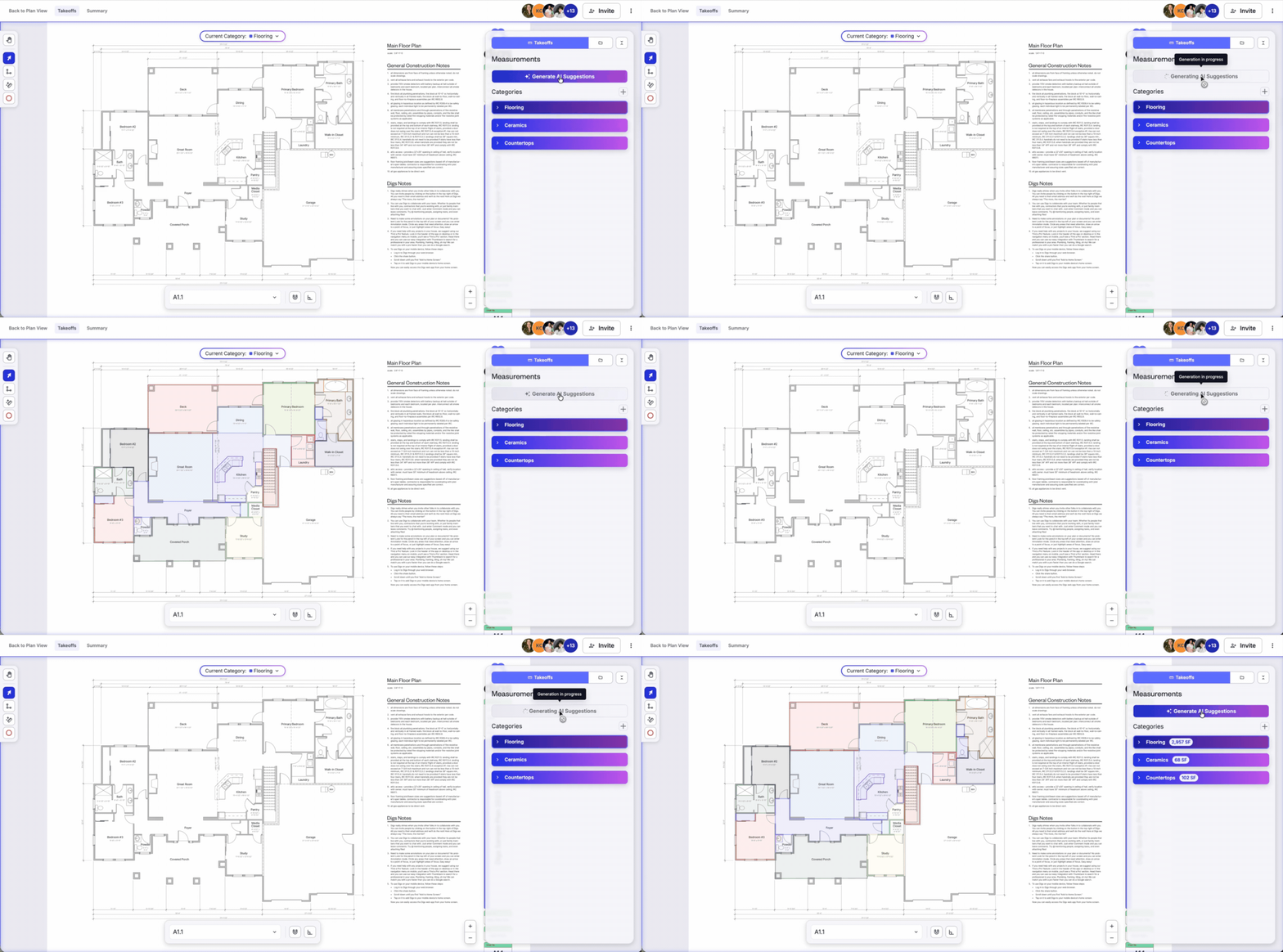
Big things are coming to Digs. We're introducing AI-Powered Takeoffs— automatically extract flooring, countertop, and vertical surfaces from your plans in seconds, with the flexibility to adjust on the fly. Stay tuned.

Schedule a Demo today!

Signatures

More flexibility is on the way. Soon you'll be able to resend signature requests and update a signer's email directly from the document— no need to start over.

Digs Support Updates

We're expanding our support documentation so your team can get more out of Digs, faster. Expect updated guides, step-by-step walkthroughs, and new articles covering recent product changes— whether you're onboarding someone new or diving deeper into a feature.

Visit the Digs Support Page


🔗 Try It Now

👉 Log in to Digs and test out these updates in your next project.

👉 Got feedback? Send it our way— we're all ears.

Q1 was just the warmup. Stay tuned for what's next.

— Team Digs

Earlier updates