Moving Comments
Written By Nira Patel
Last updated 8 months ago
Overview
Comments don’t always appear exactly where they’re intended. If a note ends up in the wrong spot, you can easily move it to the correct location so that feedback remains organized and conversations are easier to follow.
Who Can Move Comments?
All users can move their own comments.
Admins can move any user’s comments.
When to Use This Feature
A comment was left on the wrong layer, location, or page.
You want to group related feedback together.
You’re tidying up a project so information is easier to find.
How to Move a Comment
Location and Pages
Find the comment you want to move.
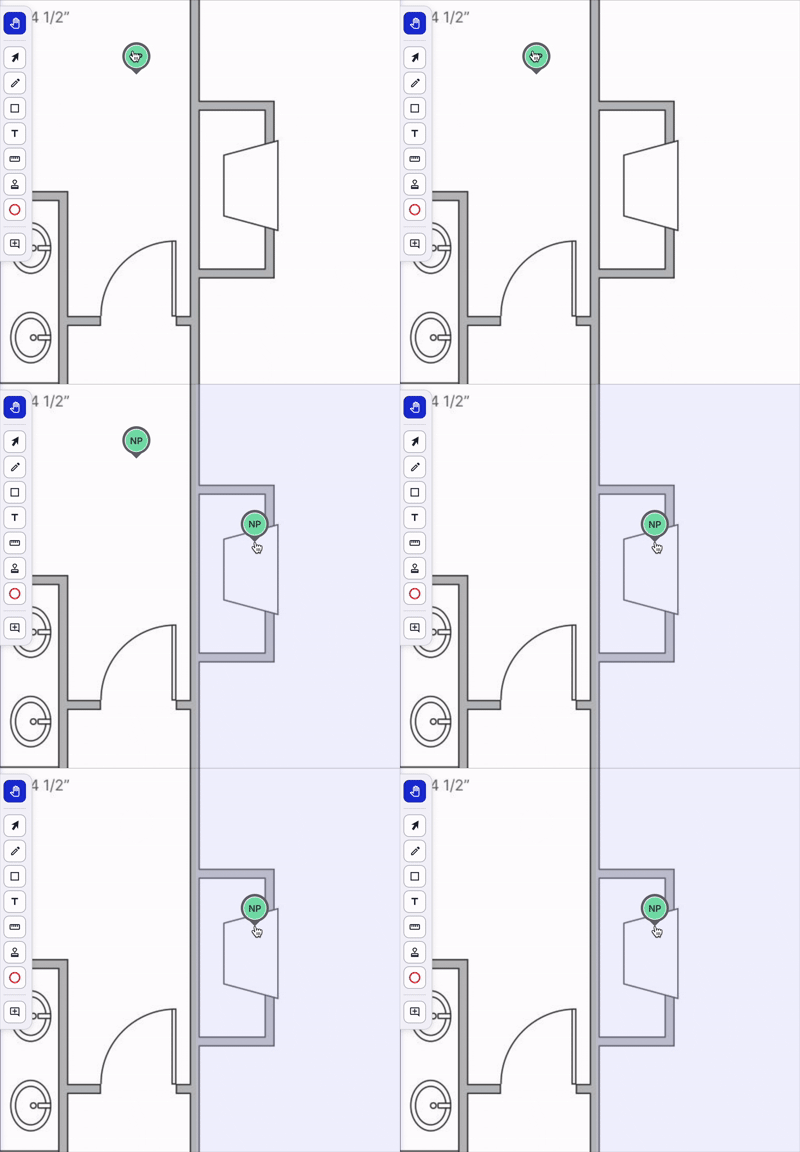
Using the Pan Tool (P), select a comment with your mouse or trackpad.
Drag the comment to the correct location or page.
Release to drop it in the new spot.
Layers
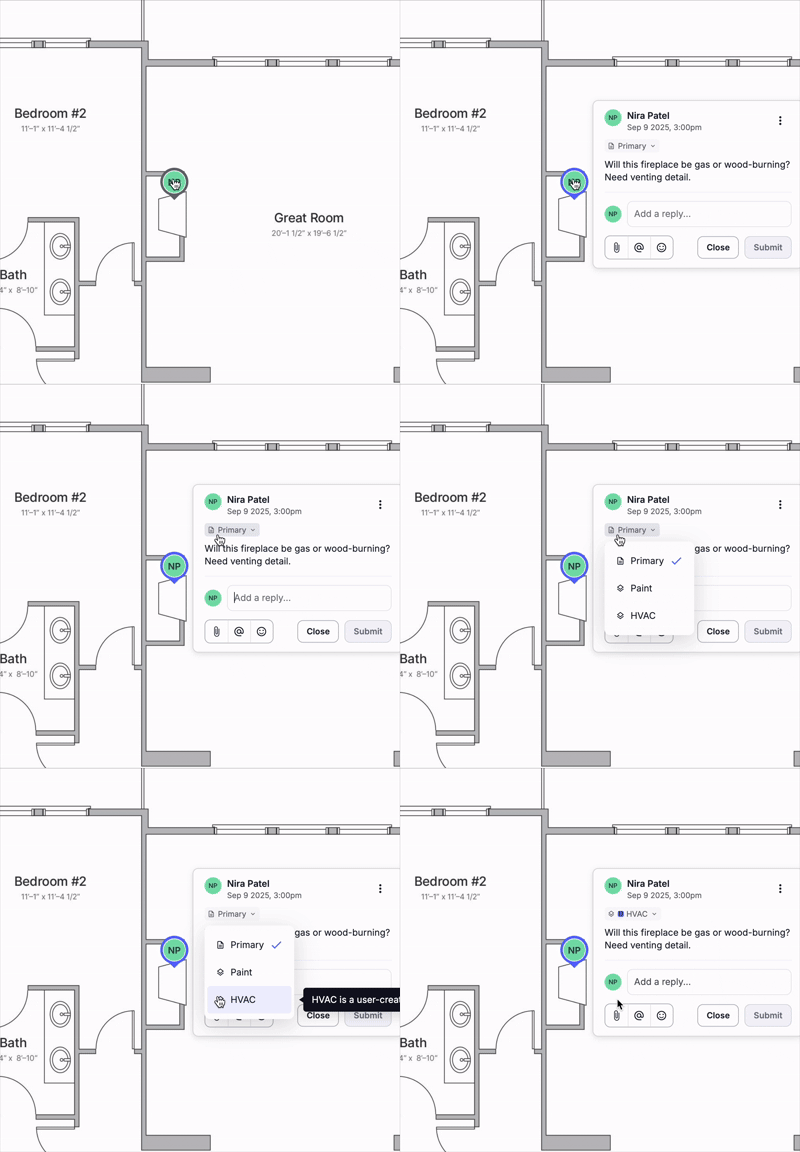
Find the comment you want to move to a different layer.
Click on the comment.
From the dropdown menu, select the correct layer.
Notes
The original author and timestamp stay the same.
Replies move together with the main comment.
Moving comments is not supported on mobile.